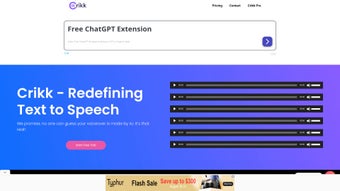

Download Crikk – Advanced AI Text‑to‑Speech Tool for Realistic Voiceovers
Overview & Introduction
Crikk is a web‑based AI voice generator that sets a new benchmark for realistic text‑to‑speech (TTS) output. Powered by cutting‑edge artificial intelligence, the platform converts written text into natural‑sounding voiceovers in multiple languages, including English, French, Arabic, Chinese, and Spanish. Whether you are an author turning a manuscript into an audiobook, an educator creating engaging lessons, or a business owner automating customer‑service dialogs, Crikk offers a flexible, cost‑effective solution.
A free trial grants up to 1,000 characters, letting users sample both free and premium voice options before committing to a subscription. While it currently lacks advanced capabilities such as voice cloning and emotion control, Crikk’s roadmap hints at a future mobile app that can transform cover images and PDFs into speech, expanding its utility even further. In a market dominated by pricey competitors like Speechify and Eleven Labs, Crikk’s affordable pricing model and browser‑based accessibility make it an attractive choice for creators of all skill levels.
Key Features and Capabilities
- Multilingual Support: Generates voiceovers in over 30 languages and dialects, covering major global markets.
- High‑Fidelity Voices: Offers a library of both free and premium voices that mimic human intonation, pacing, and breath patterns.
- Web‑Based Interface: No software download required; works in any modern browser on Windows, macOS, Linux, Android, or iOS.
- Free Trial Access: Up to 1,000 characters per account, allowing users to test voice quality before purchasing.
- Batch Processing: Upload multiple text files or paste large blocks of content for simultaneous conversion, streamlining workflow.
- Secure Cloud Rendering: All audio is processed on encrypted servers, ensuring privacy for sensitive material.
- Export Flexibility: Download generated audio in MP3 or WAV formats, ready for publishing or integration into other tools.
- Cost‑Effective Pricing: Subscription plans start at a fraction of the cost of leading competitors, with transparent usage‑based billing.
Crikk’s feature set is deliberately focused on delivering high‑quality speech without overwhelming users with unnecessary complexity. The platform’s UI presents a clean text editor, a voice selector dropdown, and a real‑time preview button. Users can adjust basic parameters such as speaking rate and volume, but the system automatically optimizes pitch and emphasis to produce a natural result. Because the service runs entirely in the cloud, hardware limitations are irrelevant—your laptop, tablet, or smartphone can handle any length of script as long as you have an internet connection. This makes Crikk especially valuable for remote teams and freelancers who need a reliable TTS engine on the go.
Installation, Setup, and Compatibility
Since Crikk is a browser‑based SaaS solution, the installation process is remarkably simple. Follow these steps to start generating voiceovers in minutes:
- Visit the Official Website: Navigate to crikk.ai using any up‑to‑date browser (Chrome, Firefox, Edge, Safari).
- Create an Account: Click “Sign Up,” provide an email address, set a password, and verify your inbox. The free trial is automatically activated.
- Select a Language and Voice: In the dashboard, choose your desired language from the dropdown menu, then pick a voice from the free or premium list.
- Enter or Upload Text: Paste your script into the editor or upload a .txt, .docx, or .pdf file. Crikk will parse the content and display a character count.
- Adjust Settings (Optional): Use the sliders for speaking speed and volume. For most users, the default settings produce optimal results.
- Generate Audio: Click “Synthesize.” The system processes the request on secure servers and returns a playback preview.
- Download the File: Once satisfied, click “Download” to save the MP3 or WAV file to your device.
Crikk is compatible with all major operating systems, including Windows 10/11, macOS 10.15+ (Catalina and later), Linux distributions with a modern browser, Android 8.0+, and iOS 13+. Because the service runs in the cloud, there are no heavy CPU or GPU requirements, making it suitable for low‑end devices as well as high‑performance workstations.
For power users, Crikk also provides an API key after subscription activation. The RESTful API enables integration with content management systems, e‑learning platforms, and custom automation scripts. Documentation includes sample code in Python, JavaScript, and cURL, allowing developers to embed TTS functionality directly into their applications. This extensibility is particularly useful for businesses that want to automate voicemail, interactive voice response (IVR) systems, or large‑scale audio book production pipelines.
Pros, Cons, FAQ, and Final Verdict
Pros
- Highly realistic voices across a broad language set.
- Free trial with 1,000 characters enables risk‑free testing.
- Web‑only architecture eliminates installation hassles.
- Affordable subscription tiers compared with premium competitors.
- Secure cloud processing protects confidential content.
- API access for developers and enterprise automation.
Cons
- No voice cloning or custom voice creation yet.
- Limited emotion control; voices sound neutral rather than expressive.
- Advanced batch scheduling is only available on higher‑priced plans.
- Future mobile app is announced but not yet released.
Frequently Asked Questions
How many characters can I synthesize with the free trial?
The free trial provides up to 1,000 characters per account. You can use this quota across multiple sessions until it is exhausted.
Is there a desktop app for Crikk?
Currently Crikk operates only as a web service. A native desktop or mobile app has been announced for future releases but is not yet available.
Can I integrate Crikk with my e‑learning platform?
Yes. After subscribing, you receive an API key that can be used to programmatically generate audio from LMS content, quizzes, or lesson scripts.
What file formats are supported for download?
Crikk offers MP3 and WAV formats for all generated voiceovers, ensuring compatibility with most publishing and editing tools.
Is my data safe during processing?
All audio synthesis happens on encrypted servers using TLS 1.2+. Crikk’s privacy policy states that uploaded text is not stored long‑term unless you explicitly save a project.
Final Verdict & Call to Action
Crikk delivers a compelling blend of realism, multilingual reach, and affordability that makes it stand out in the crowded TTS market. While the absence of voice cloning and nuanced emotion control may deter power users seeking hyper‑personalized audio, the platform’s ease of use, secure cloud processing, and generous free trial make it an excellent entry point for educators, indie authors, and small businesses. For those who need a reliable, cost‑effective solution without the overhead of installing heavyweight software, Crikk is ready to turn your text into professional‑grade voiceovers instantly. Ready to experience realistic AI speech? Click the button below to start your free trial and download your first high‑quality audio file today.



.png)



